Understanding Networking Devices How Modem Router Switch Firewall and Load Balancer Work Together
How the Internet Reaches Your System
Understanding Modem Router Switch Firewall and Load Balancer in Simple Words
Before we jump into individual devices, let us first understand the big picture.
When you open a website or call an API, data does not magically appear on your screen. It travels through multiple physical devices that guide it, protect it, and deliver it to the correct system.
Think of the internet like a massive city. Your data is a person trying to reach a specific building. Roads, signals, checkpoints, and buildings all play a role. Networking devices are those city components.
Now let us walk step by step.
What is a Modem and How It Connects You to the Internet

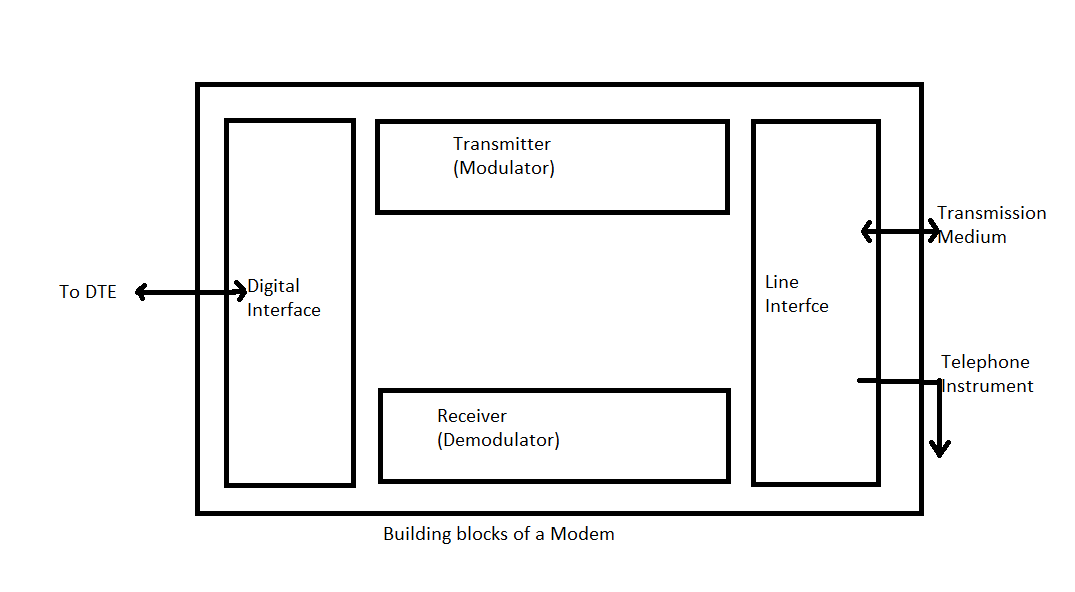
A modem is the entry point of the internet into your home or office.
Your internet service provider sends internet signals through cables like fiber, coaxial, or telephone lines. These signals are not usable by your computer directly.
The modem’s only job is this
Convert the signal from your internet provider into digital data your network can understand
Simple analogy
The modem is like a language translator between your house and the internet provider.
Without a modem
No internet enters your building at all
Important note for software engineers
The modem does not care about IP addresses, users, or servers. It only cares about signal conversion.
What is a Router and How It Directs Traffic
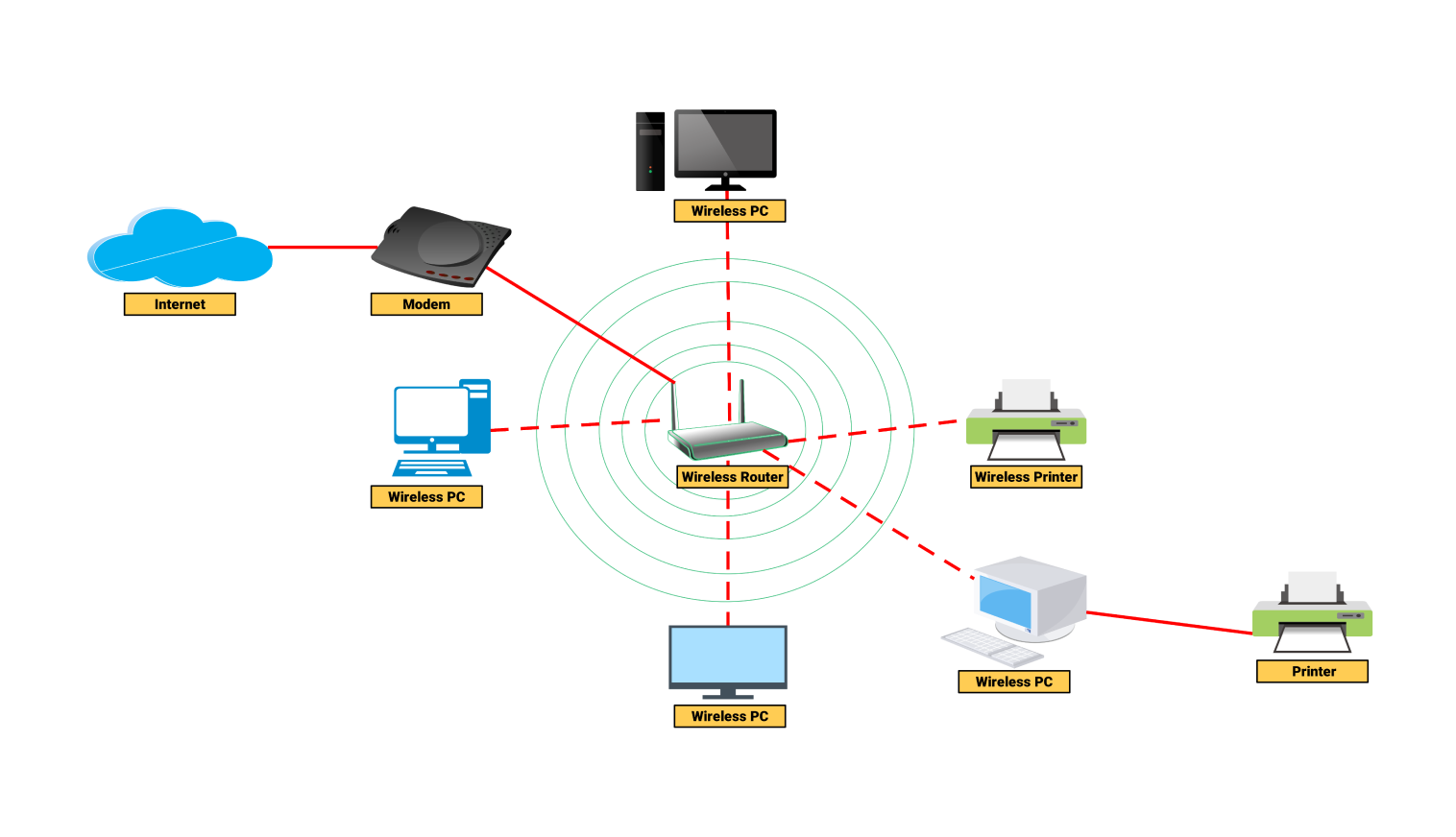
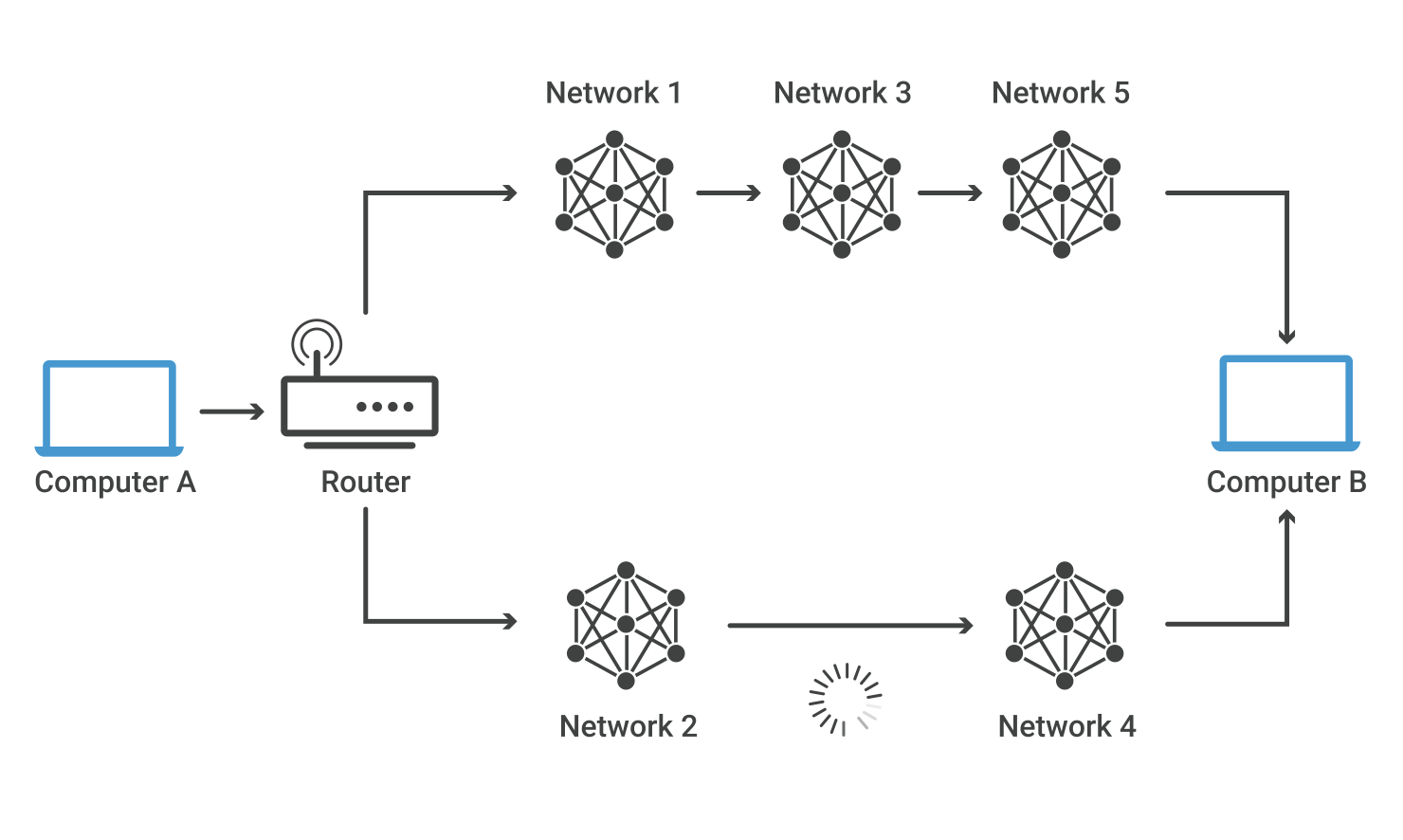
Once the internet enters through the modem, it needs direction. That is where the router comes in.
A router decides where data should go.
If you have a phone, laptop, smart TV, and server on the same network, the router ensures that the right data reaches the right device.
Simple analogy
The router is like a traffic police officer at a busy junction directing cars to correct roads.
Main responsibilities
It assigns local IP addresses
It forwards outgoing requests to the internet
It sends incoming responses to the correct device
For backend developers
Routers are the reason your local server can talk to cloud APIs and databases.
Switch vs Hub
How Local Networks Actually Work
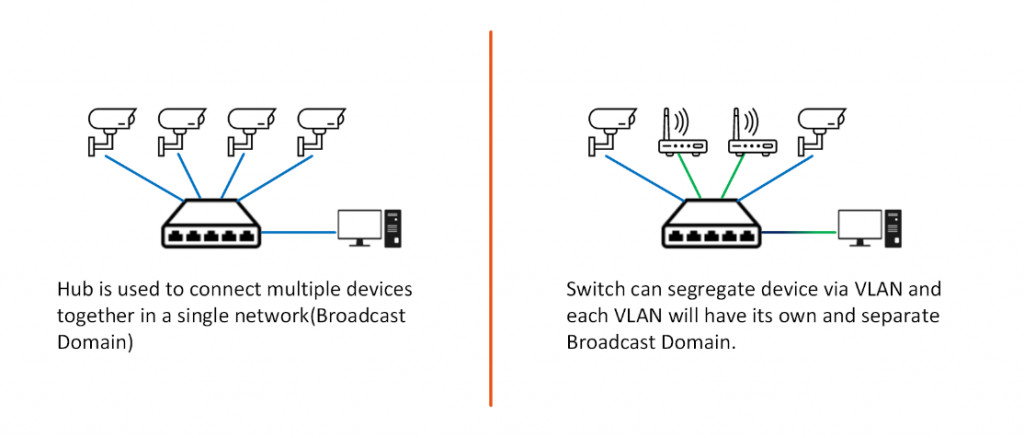
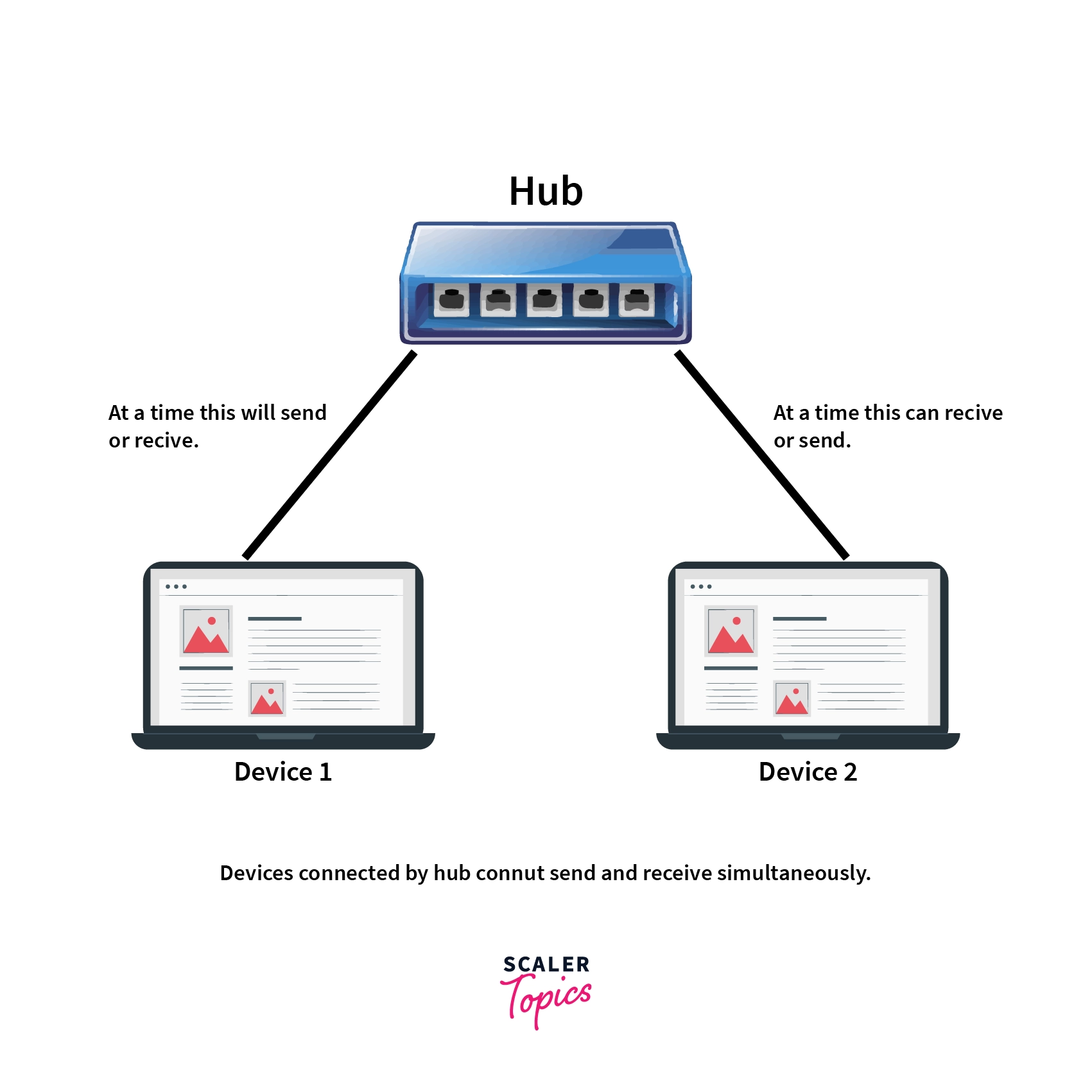
Both hub and switch connect multiple devices inside a local network, but they behave very differently.
Hub
A hub is very basic and mostly outdated.
When one device sends data, the hub sends it to every connected device.
Analogy
A hub is like shouting in a room where everyone hears everything.
Problems
Wasted bandwidth
No privacy
Poor performance
Switch
A switch is smart.
It learns which device is connected to which port and sends data only to the intended device.
Analogy
A switch is like sending a private letter directly to someone.
Why switches matter today
They reduce noise
They improve speed
They are essential in data centers
What is a Firewall and Why Security Lives Here

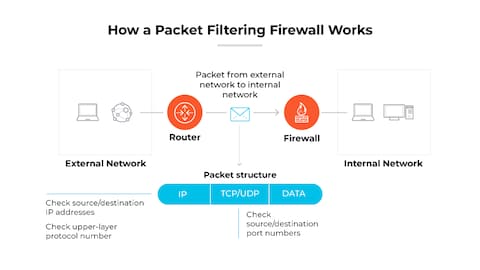
A firewall protects your network from unwanted traffic.
It sits between your internal network and the outside world and checks every request.
Simple analogy
A firewall is a security guard at the gate checking who is allowed in.
What it does
Allows trusted traffic
Blocks malicious requests
Applies security rules
For production systems
Firewalls protect servers from attacks
They enforce network level security
They are your first line of defense
What is a Load Balancer and Why Scalable Systems Need It

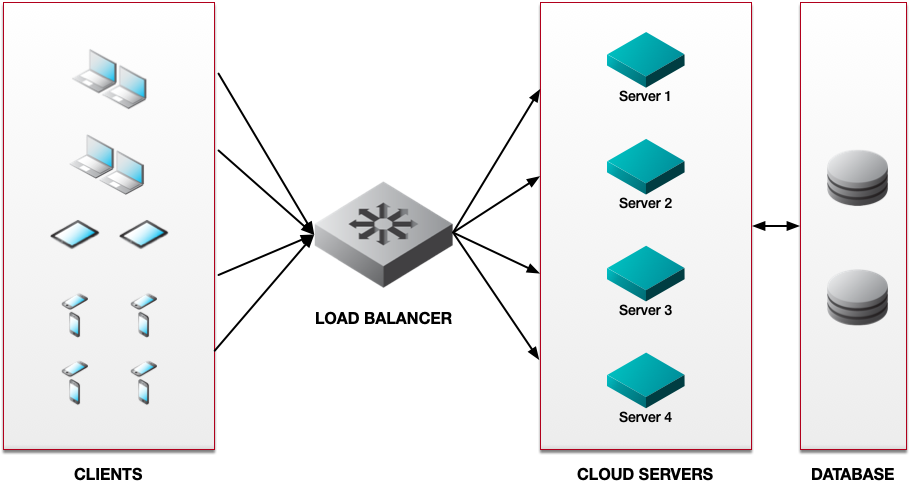
A load balancer distributes traffic across multiple servers.
When thousands of users hit your backend, one server cannot handle everything.
The load balancer sits in front and decides which server gets which request.
Simple analogy
A load balancer is like a toll booth that sends cars to different lanes to avoid traffic jams.
Why backend engineers rely on it
Prevents server overload
Improves reliability
Enables horizontal scaling
If one server fails, traffic is sent to healthy servers automatically.
How All These Devices Work Together in Real Life
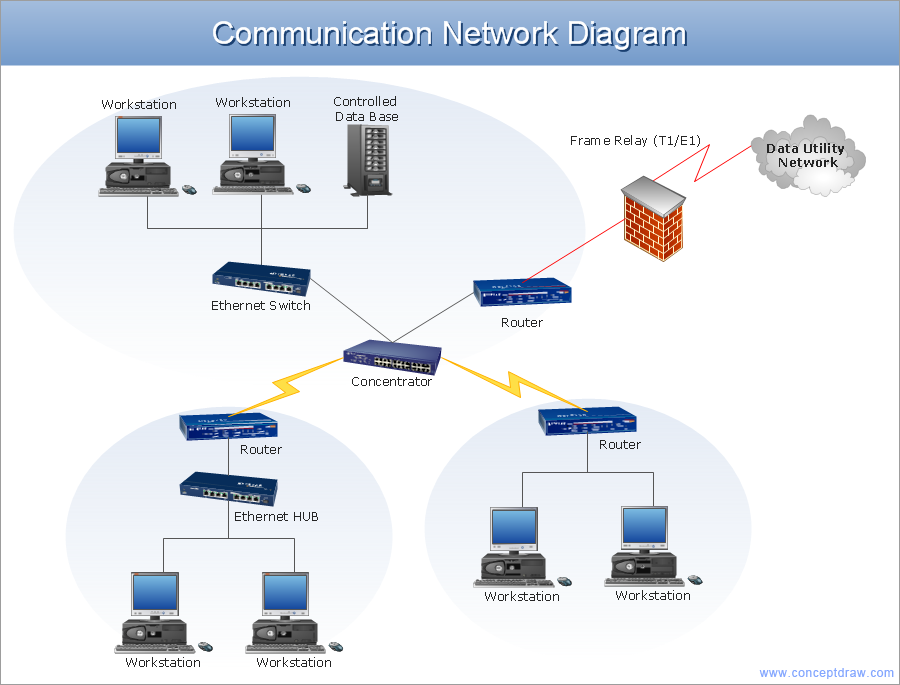
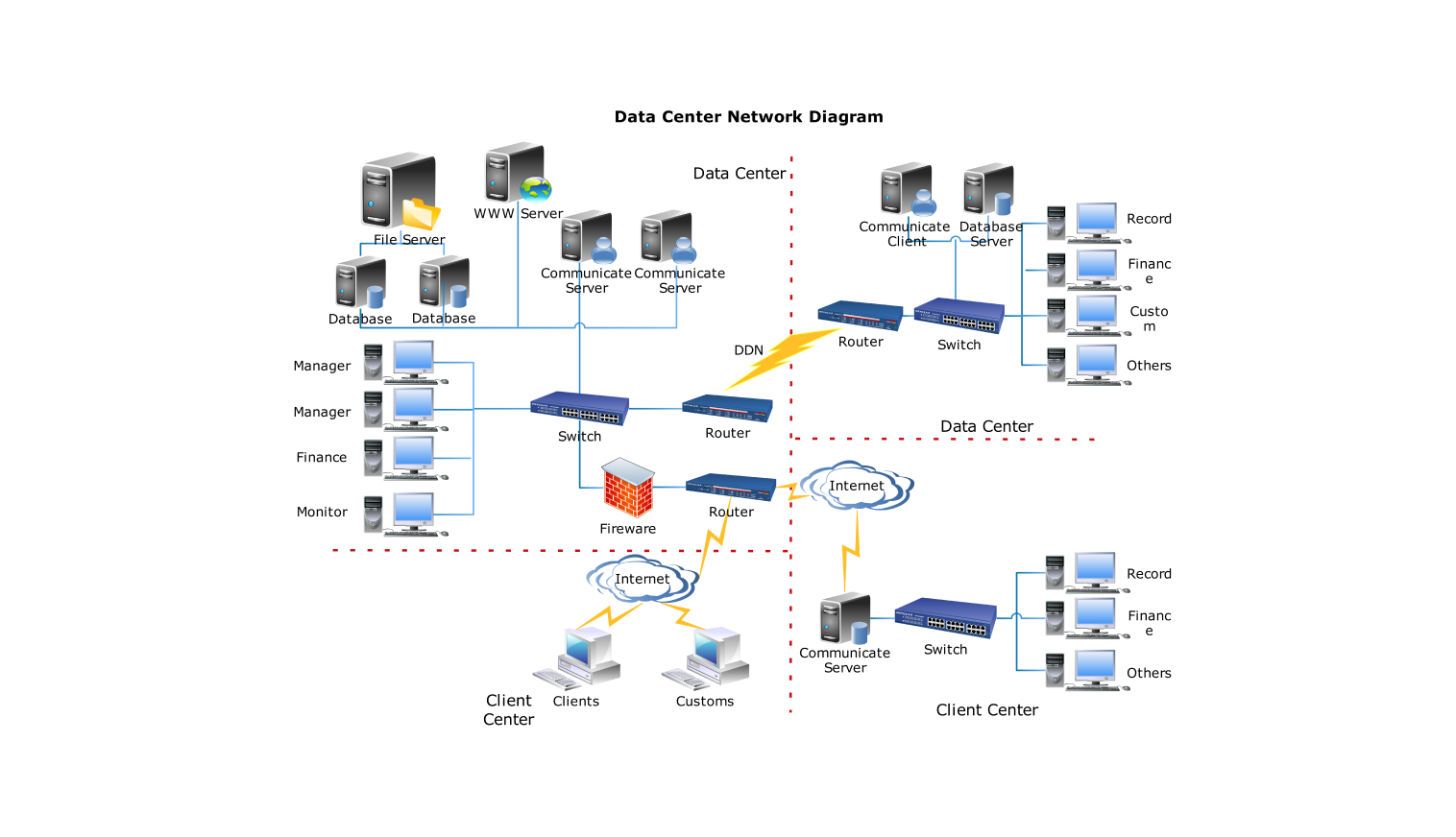
Let us connect everything together.

This is how a real system works from your browser to a production backend.
Why Software Engineers Should Care About Hardware
Even if you write only code, these devices shape how your system behaves.
Slow APIs can be caused by network routing
Security bugs can be prevented by firewalls
Downtime can be reduced using load balancers
Scalability depends on proper traffic distribution
Understanding networking devices makes you a better backend engineer.
Final Thoughts
Networking is not magic. It is a chain of simple devices with clear responsibilities.
Each device does one job
Together they power the internet
Once you understand this flow, system design, cloud architecture, and production debugging become much easier.
If you can explain this setup, you are already thinking like a system engineer.